Hyper-Knowledge / Python · CLI · Agent Skill
Keep relationships in context.
A person, a time, a place, and a role often explain one event together. Hyper-Knowledge organizes that context as a hyperedge, with an agent-guided workflow, inspectable data bundles, and an offline workbench.
Two installation methods
Use your existing Python or Conda environment, or prepare one if needed. Choose either command-line or chat installation.
Command-line instructions Chat instructions
Command-line installation: existing Python / Anaconda / Miniconda
If you have a suitable Python 3.11+ environment, activate it and install directly. Anaconda / Miniconda users can follow the Conda steps below. Only users without an environment need the Python / venv setup.
Anaconda / Miniconda: expand steps for creating or reusing an environment
On Windows, open Anaconda Prompt / Miniconda Prompt; on macOS / Linux, use a Conda-enabled terminal.
Run conda env list first. To create a new environment, confirm hyper-knowledge is not already in use, then run these lines in order, continuing only on success:
conda create -n hyper-knowledge python=3.12 pip git
conda activate hyper-knowledge
To reuse a suitable environment instead, skip creation and run conda activate research, replacing research with your environment name. Check Python, pip and Git:
python --version
python -c "import sys; print(sys.executable)"
python -m pip --version
git --version
Python should be 3.11+, and the interpreter and pip should belong to the chosen environment. If pip or Git is missing, confirm that environment changes are allowed, then run conda install pip git before installing this project. Do not install into base or experiments that must remain unchanged. No nested .venv is needed.
In a new terminal, reactivate hyper-knowledge (or your chosen name) instead of reinstalling. Detailed Conda, scripting and Notebook instructions
In the environment you selected, run each line after the previous one succeeds:
python -m pip install "git+https://github.com/hanxiangmin/Hyper-Knowledge.git"
python -m hyperknowledge --help
When help appears, install a Skill only if you need it, choosing your client:
Codex:
python -m hyperknowledge skill install --platform codex --scope user
Kimi Code:
python -m hyperknowledge skill install --platform kimi --scope user
Install both if you use both clients; the runtime is shared. Python / Notebook or CLI users do not need a Skill. hk is not built in: python -m hyperknowledge invokes the selected environment's runtime without assuming the shortcut exists.
Existing installations and edits · Missing commands and troubleshooting
Install in chat
Choose your client and copy its complete request directly into chat:
Codex
Please follow https://github.com/hanxiangmin/Hyper-Knowledge to install the user-level hyper-knowledge Skill for Codex. An existing Python/Conda environment is fine; ask before overwriting local edits.
Kimi Code
Please follow https://github.com/hanxiangmin/Hyper-Knowledge to install the user-level hyper-knowledge Skill for Kimi Code. An existing Python/Conda environment is fine; ask before overwriting local edits.
You do not need to perform the command-line installation first. Repository instructions cover the details; handle any login or approval request yourself. Start a new session after installation. Web chat without local tool access cannot install software on your computer.
After installation: one core, three ways to use it
After installation, use any of these entrances in your chosen Python / Conda environment. Select the environment in a new terminal
Python / Notebook
extract_file() parses text; import_graph() accepts structured input without a model key.
Command line
hk parse → hk bundle export → hk visualize.
Structured input goes directly through hk bundle import.
Agent Skill
Codex and Kimi Code read the same standard Skill and call local Python. The default workflow uses the current agent's model, not a second key.
Start with a concrete question
“What happened to Su Shi, when, and where?” should not become one long node name.
| Entity nodes | Event hyperedge | Member roles |
|---|---|---|
| Su Shi, 1101, Changzhou | Return north | Returning person, time, destination |
The person and place can participate in another event. Each date stays attached to its own context. A source record belongs to the event so readers can check the underlying passage. Learn the modeling approach
Work toward an inspectable graph
Model
Describe the task and material to the Skill. Identify entities, events, and roles before choosing a template and running extraction.
Check
Keep nodes, assertions, memberships, and evidence in separate tables. Validate references and file identity; distinguish source support from model interpretation.
Explore
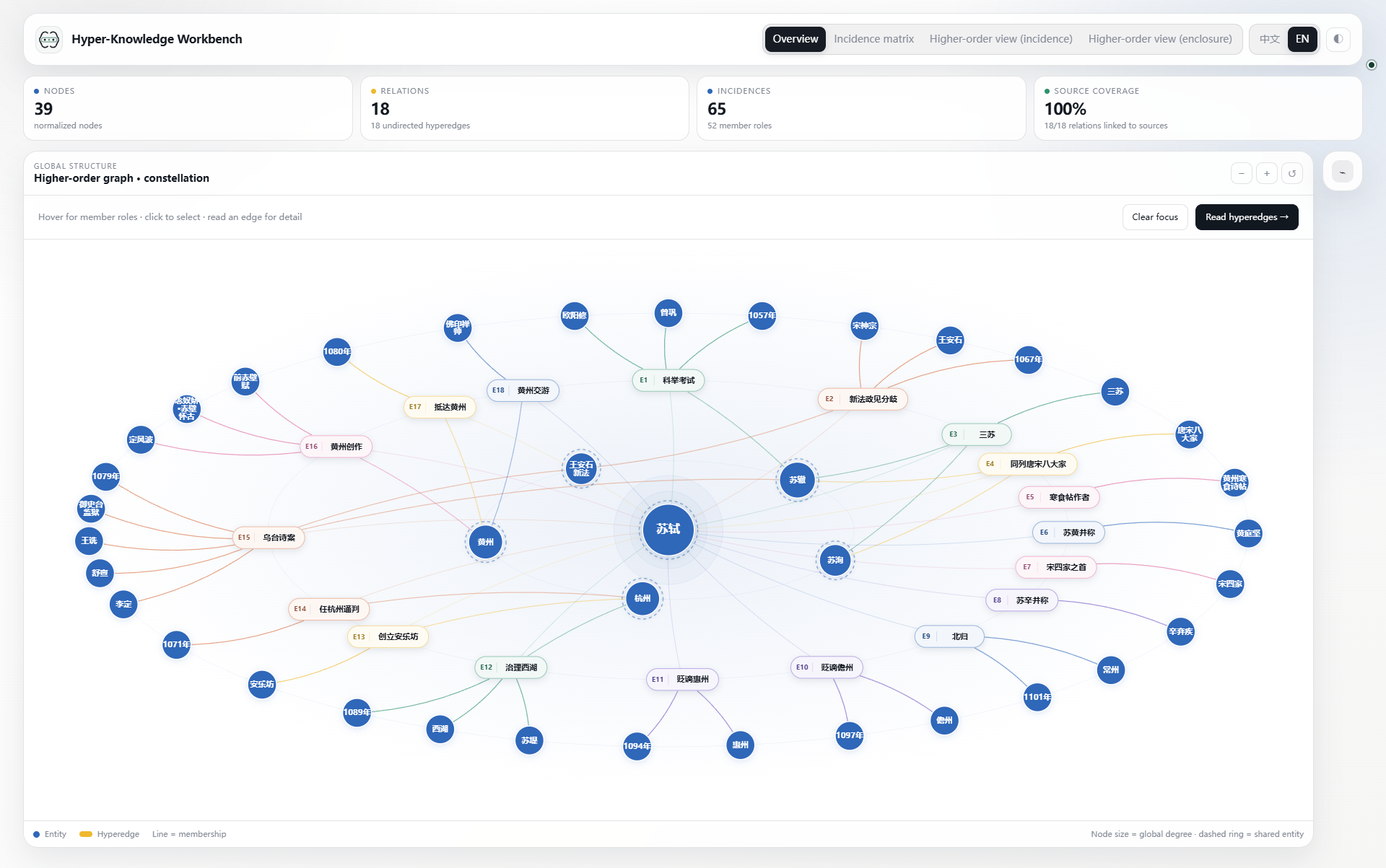
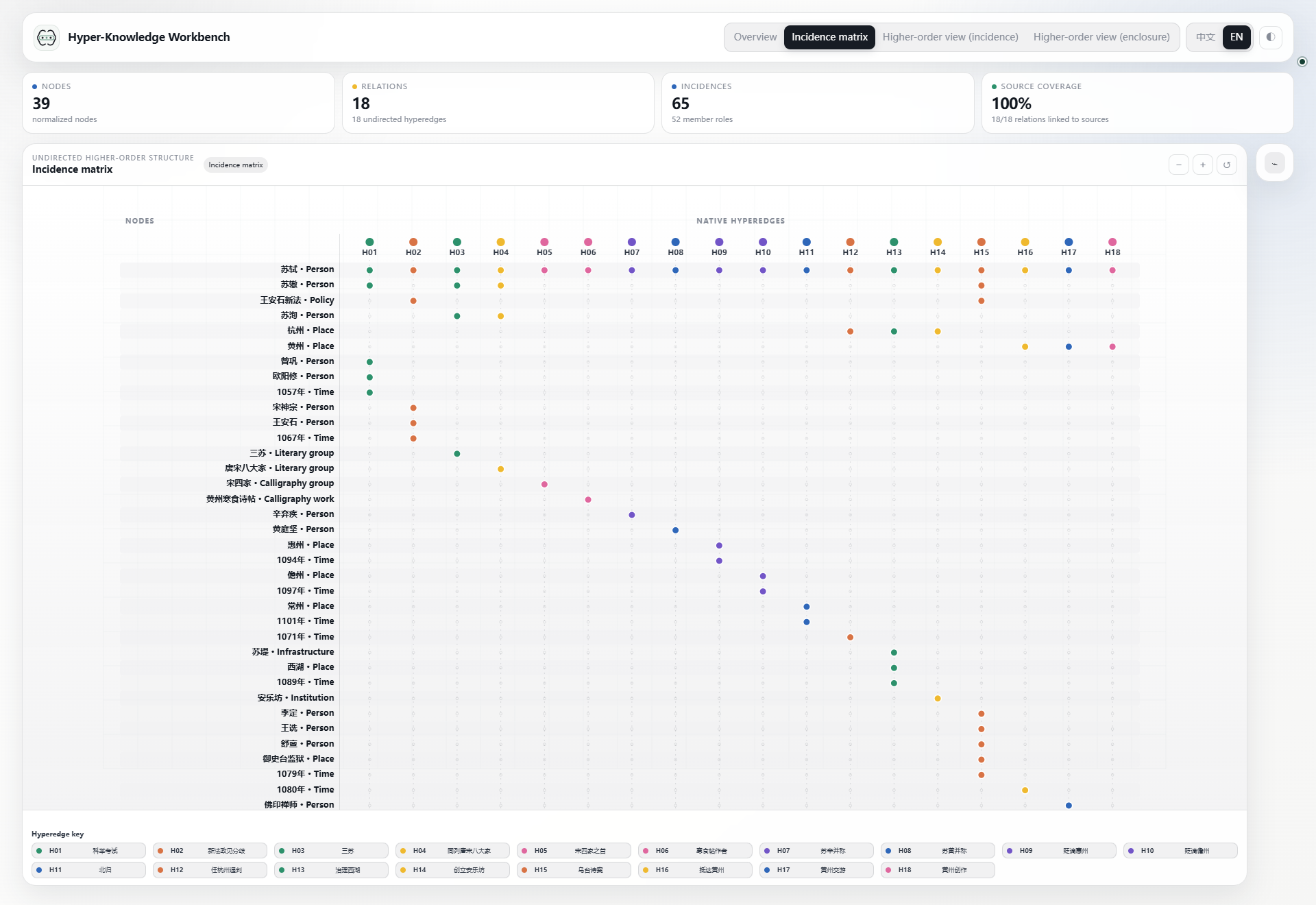
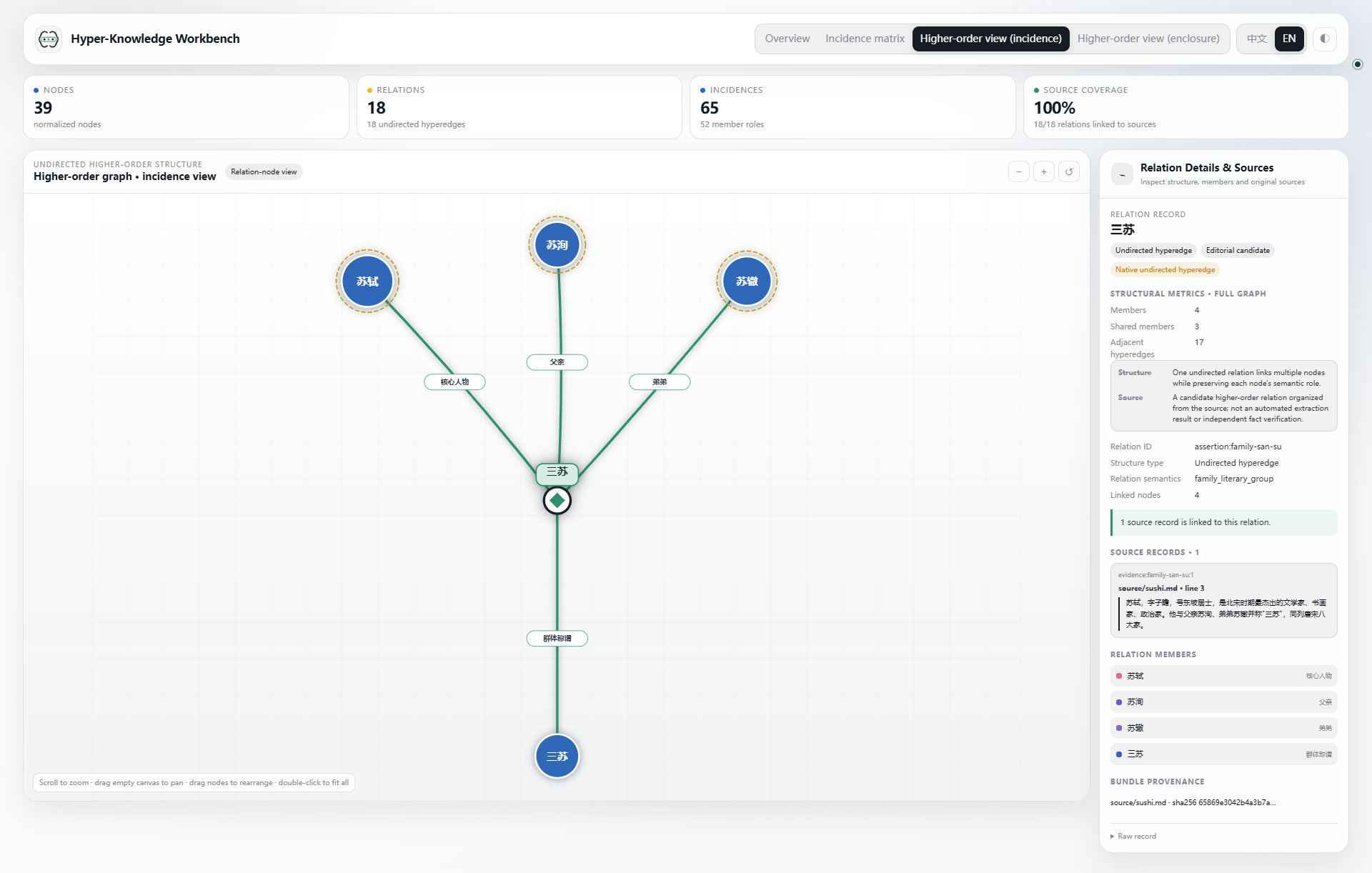
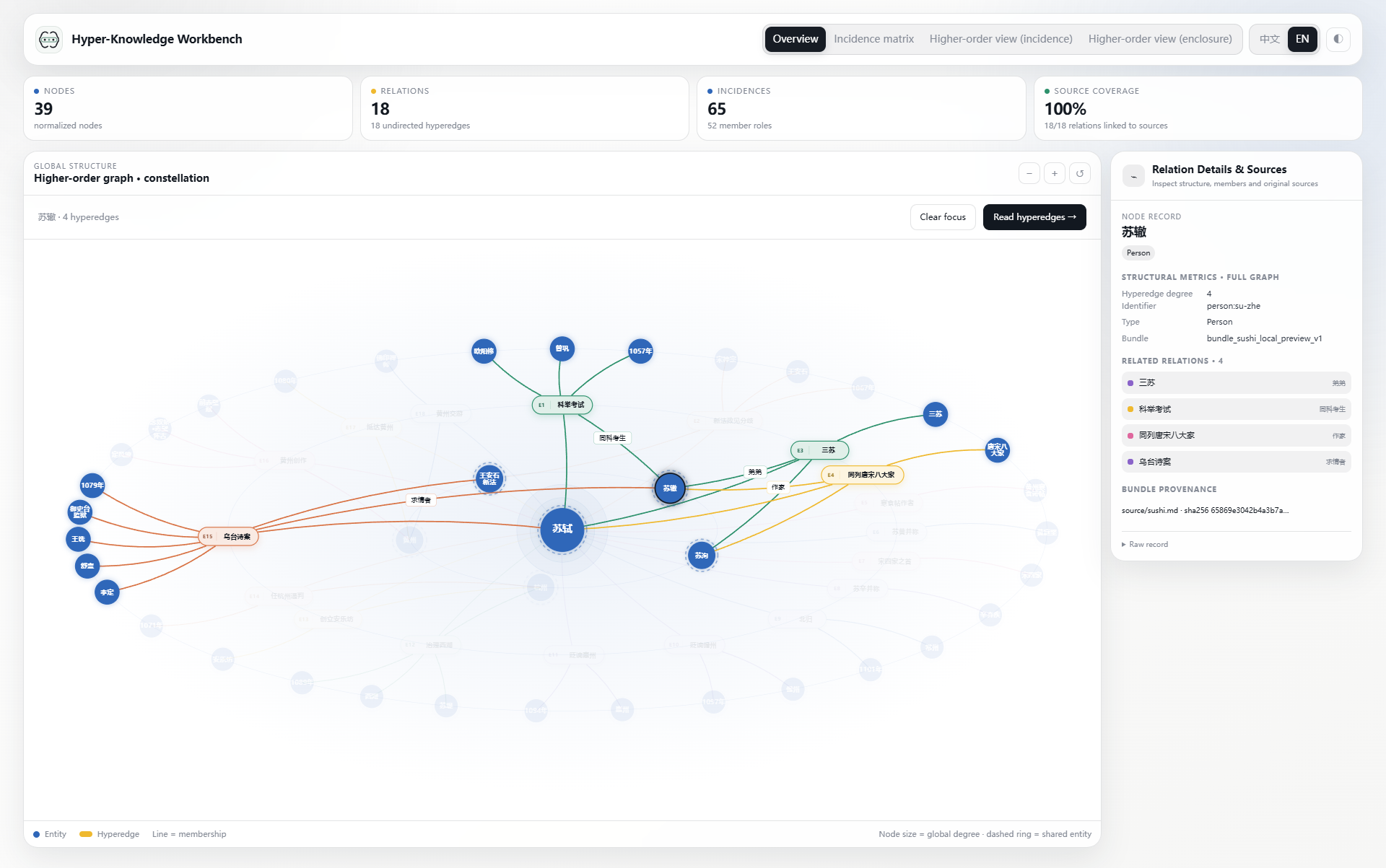
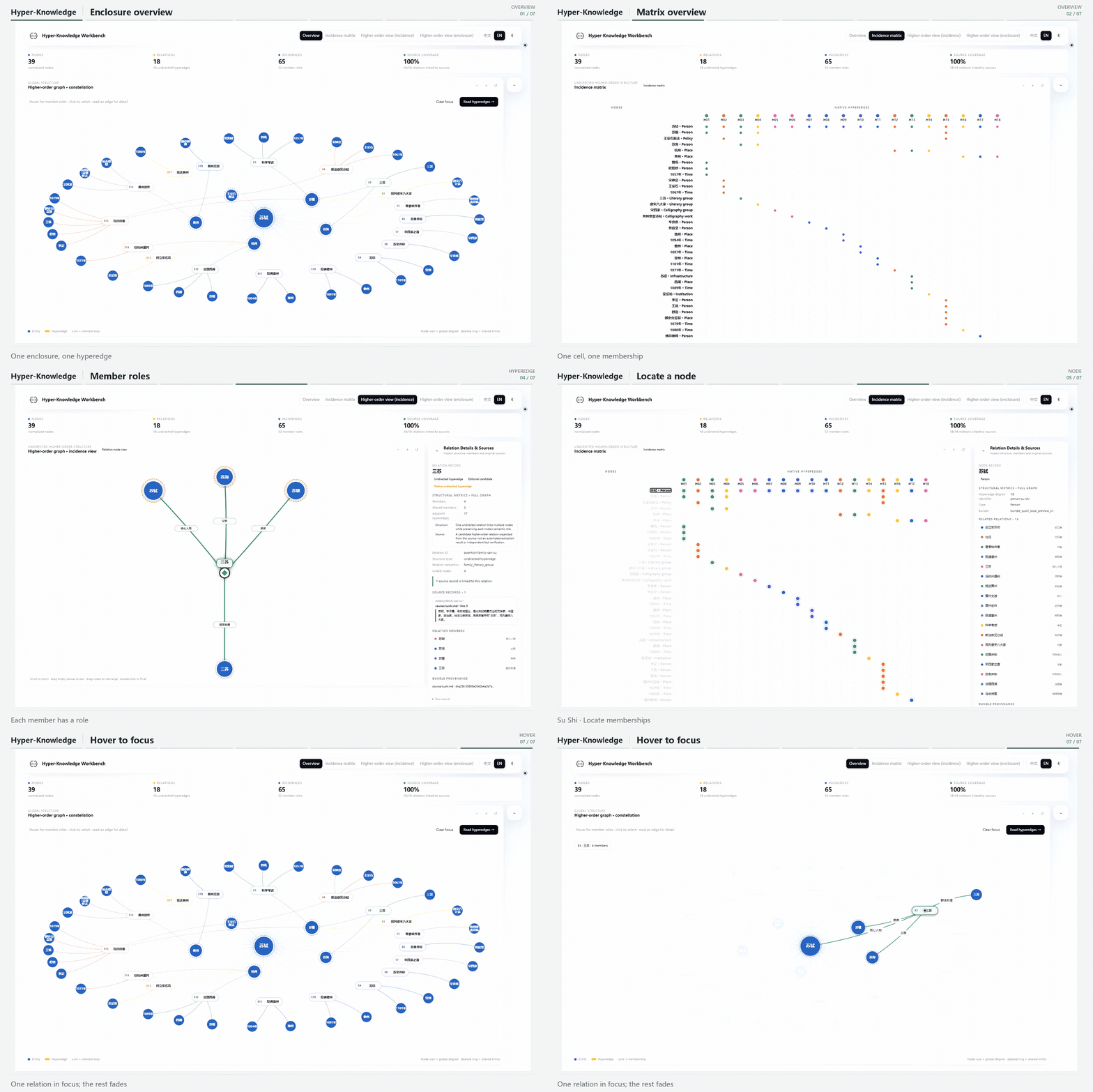
Move from the whole structure to a node and then to one hyperedge. Use the matrix for dense membership patterns and incidence for explicit roles.
A useful request to your agent
Use hyper-knowledge on this document.
Keep people, places, and times as separate nodes. Preserve each event as a
hyperedge with member roles. Deliver a validated bundle and an offline
workbench, and identify relationships that lack source support.
The current agent reads the source; local Python imports and renders the result. No second model key is needed for this route. Understand both workflows
Look first, then go deeper
Click a screenshot to fill the screen. Click it again, click the background, or press Esc to return to the same spot.