Three views, three questions
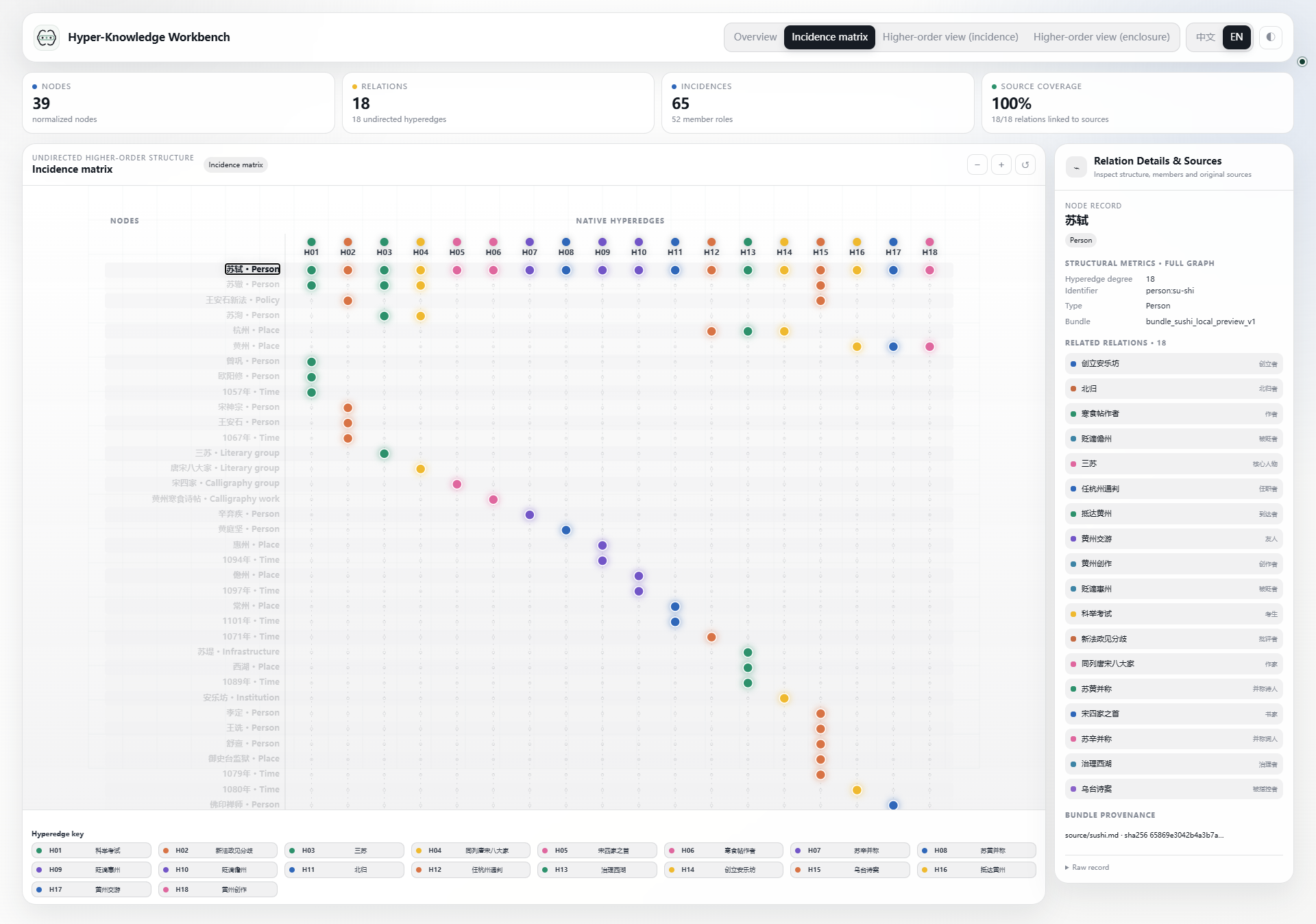
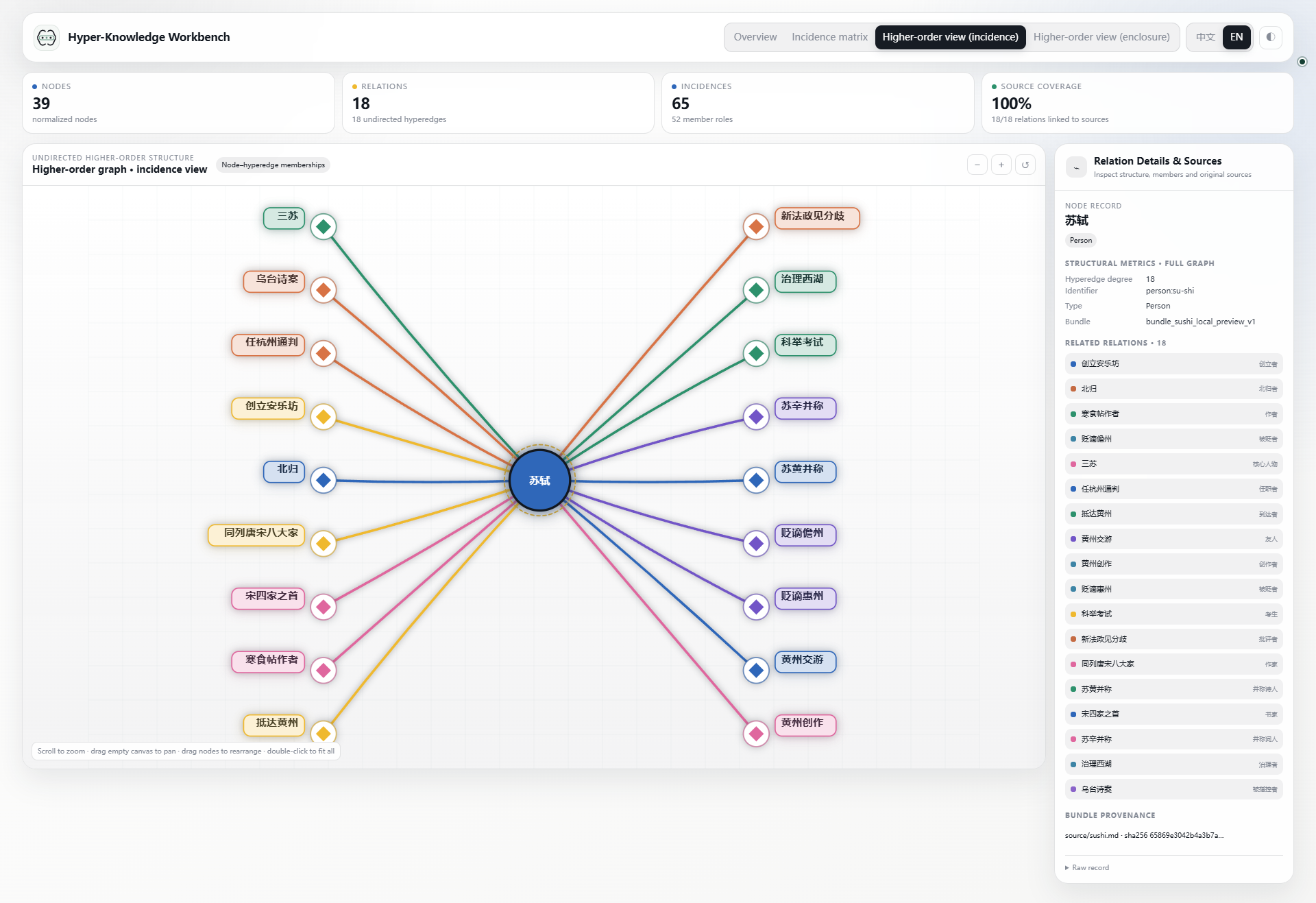
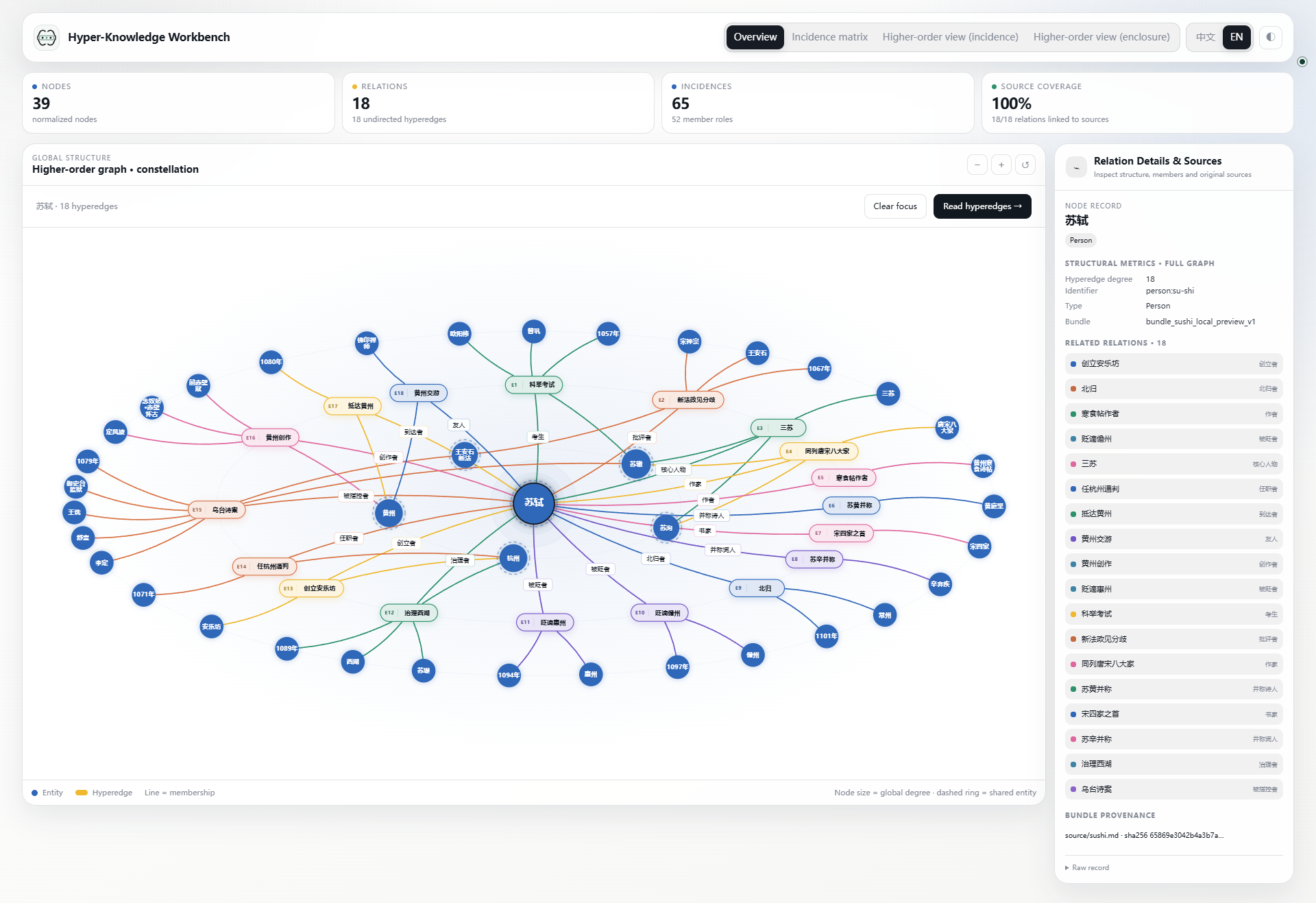
The same bundle can be read as a table, a membership diagram, or a set of enclosures. Switching views changes the presentation, not the entities or memberships.
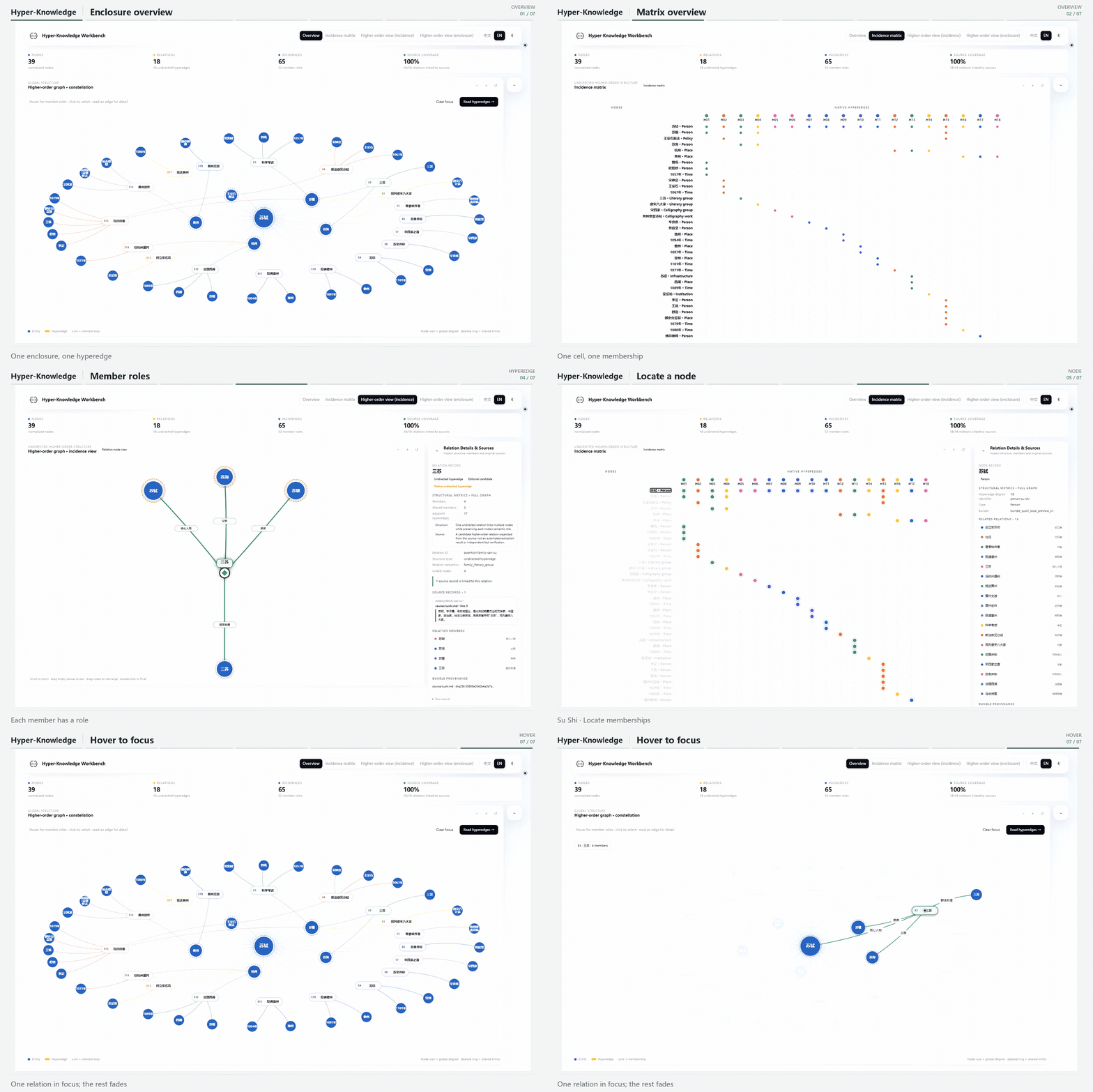
Open full-size GIF · Chinese GIF · Read the Su Shi example
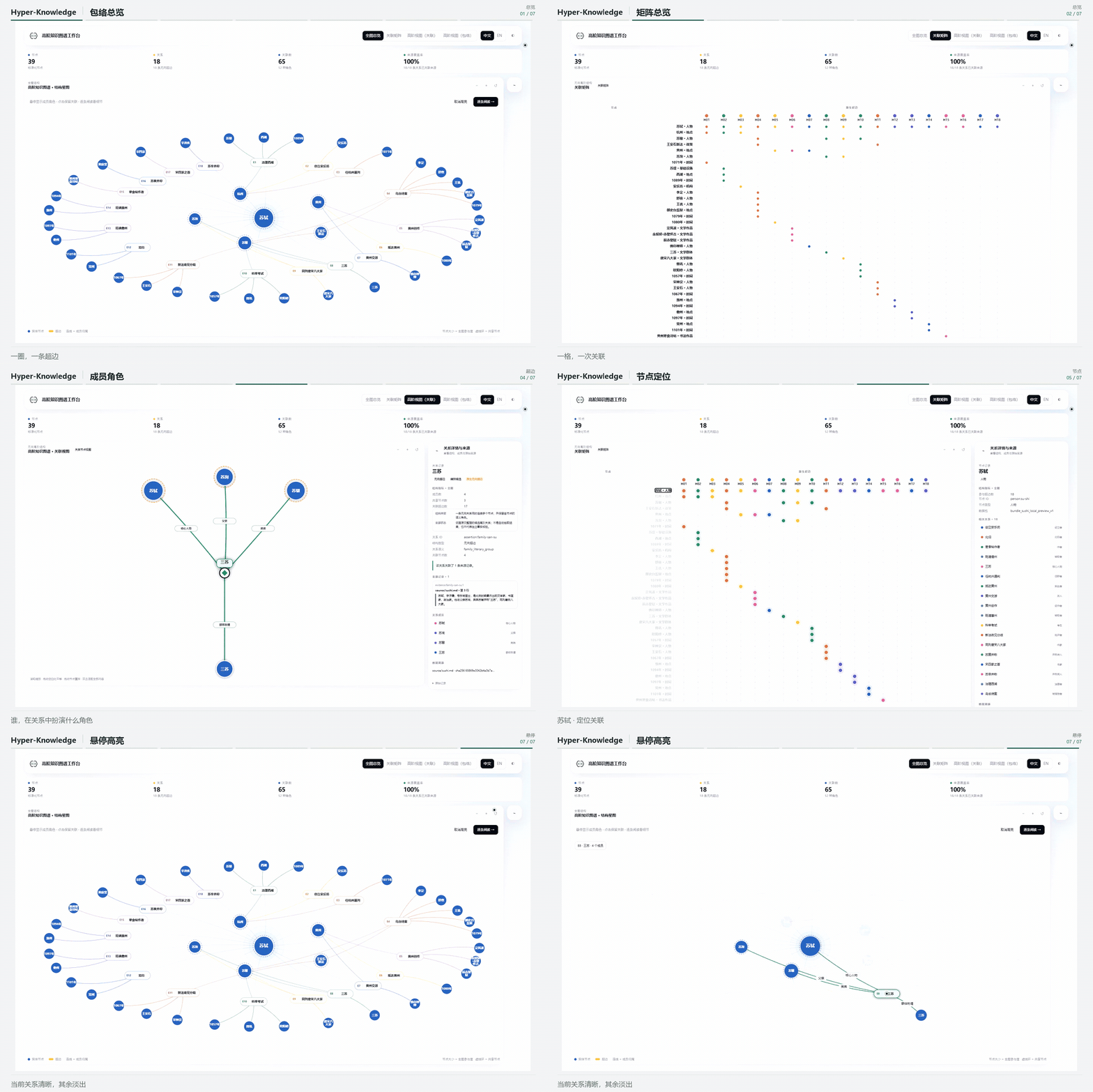
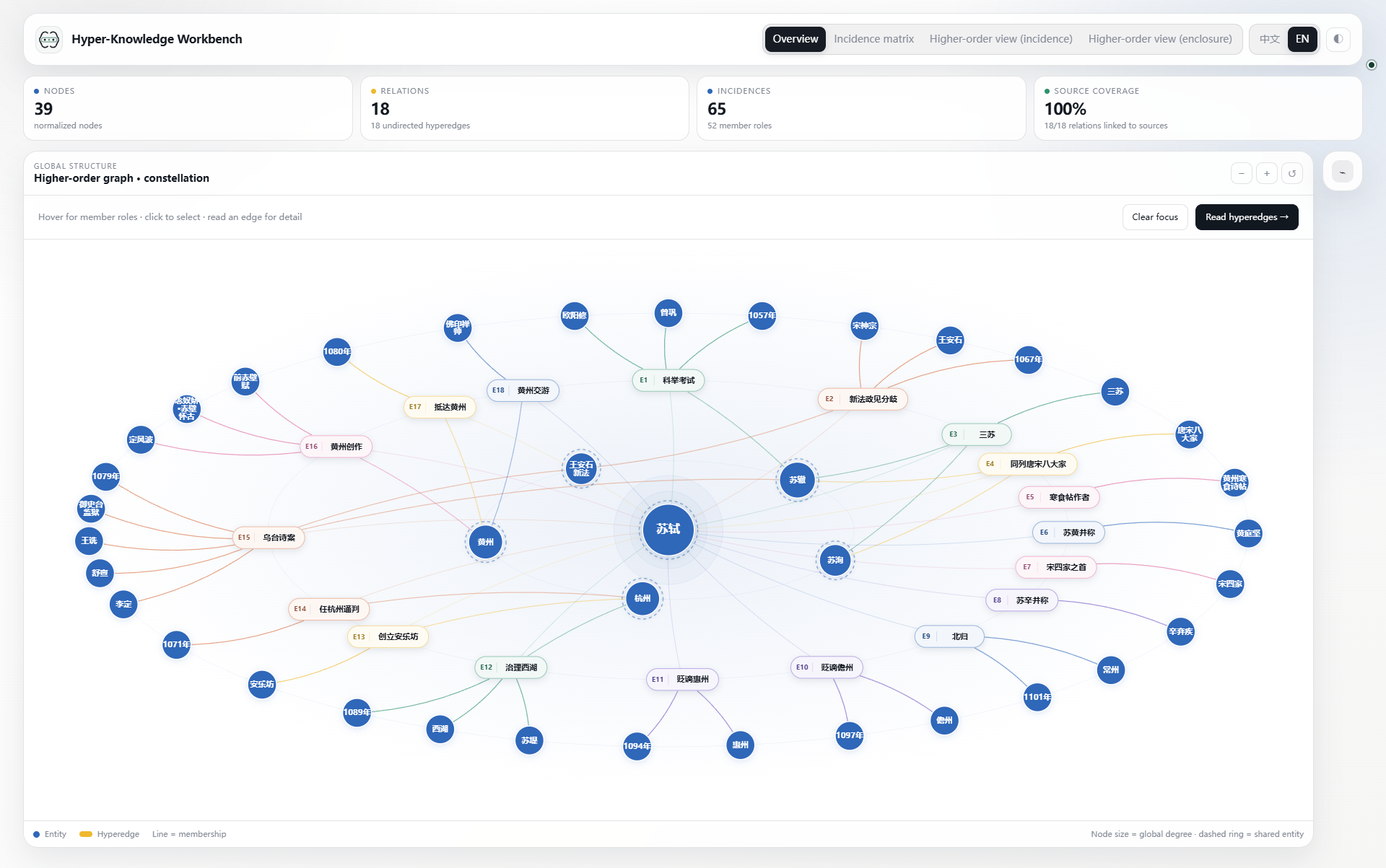
Seven scenes in eight seconds: structure overview → matrix → one hyperedge → one node → hover highlight. The first six scenes are one-second, normal-speed excerpts from real local-browser recordings; the final hover plays at half speed for two seconds so its movement and highlight are easier to follow. The gallery below keeps all ten captured states. English controls accompany the original Chinese node and hyperedge names.
Choose the question, then the view
| Question | View | Selection behavior |
|---|---|---|
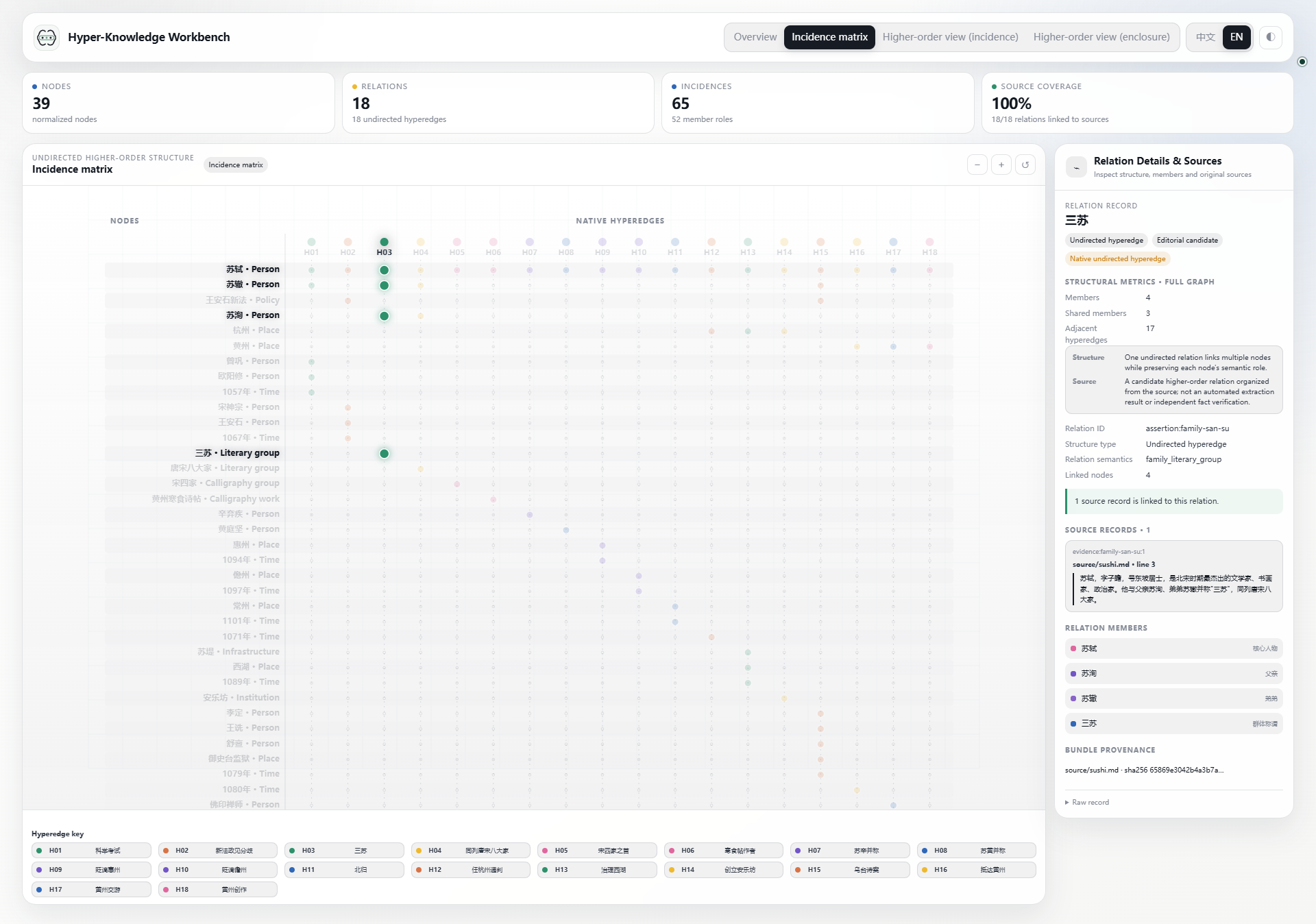
| Which node belongs to which hyperedge? | Incidence matrix | Keep the full table and highlight the selection |
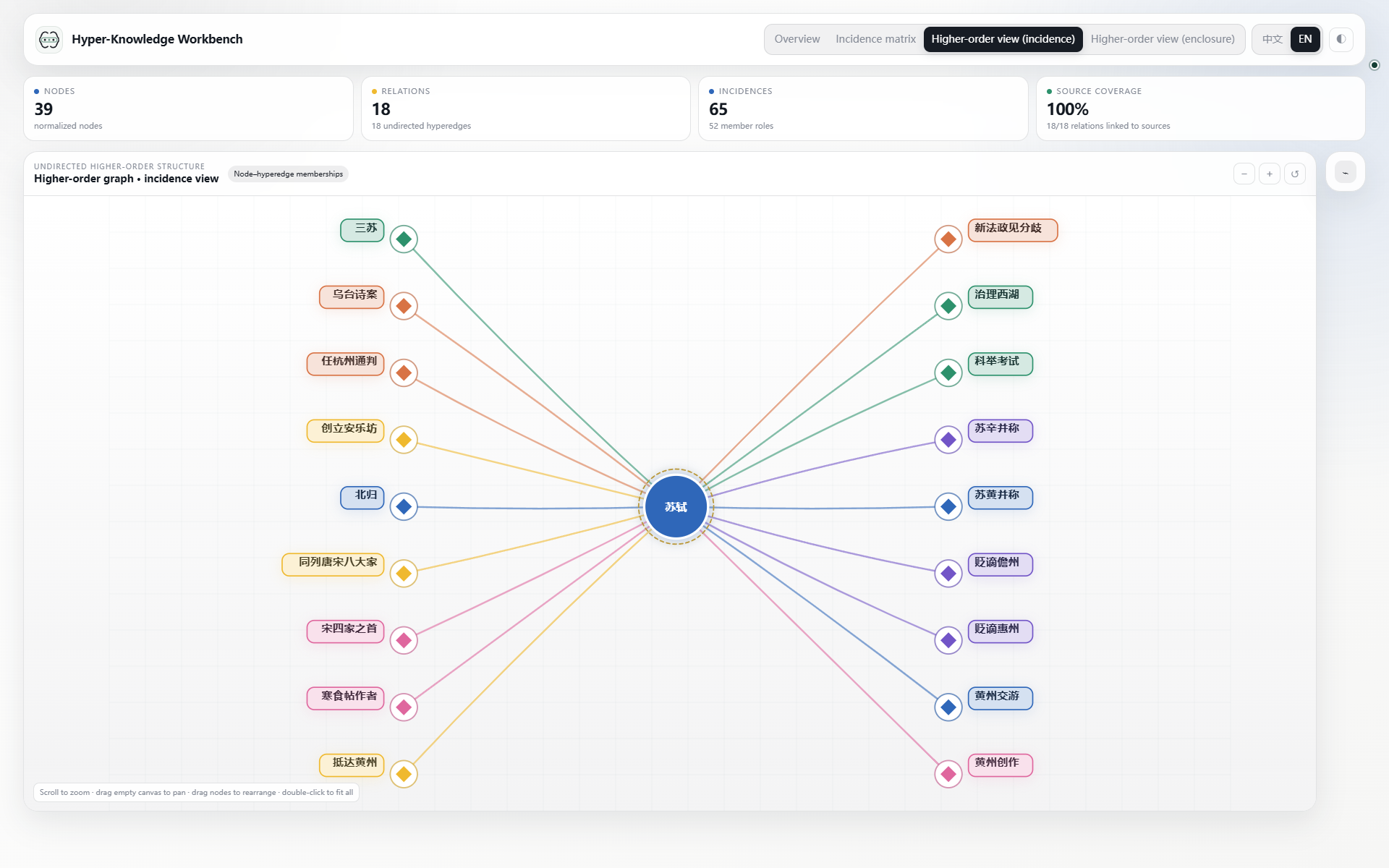
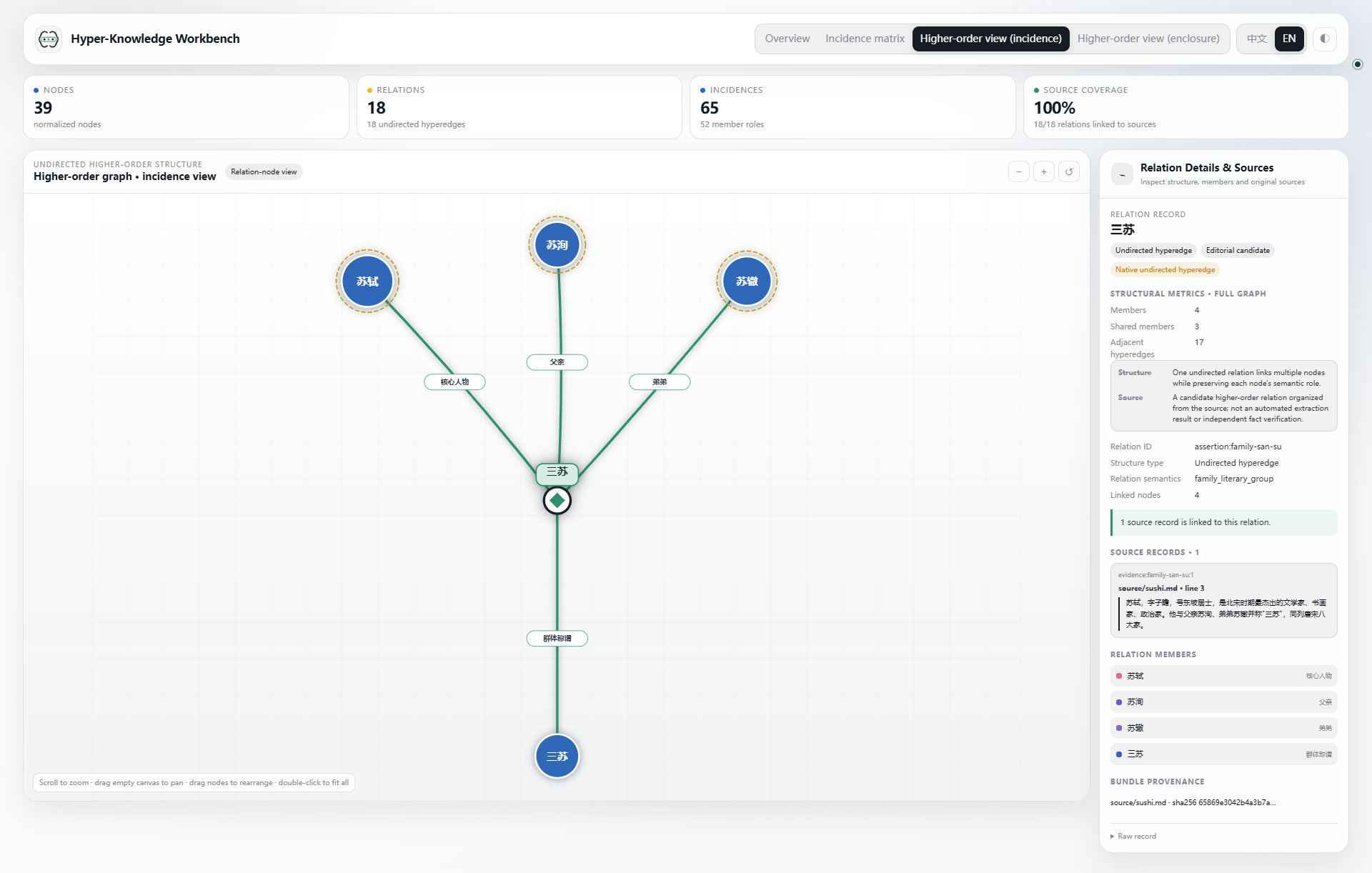
| Which hyperedges contain this node? Who belongs to this hyperedge? | Incidence | Show the selected node's incident hyperedges, or expand the selected hyperedge's members |
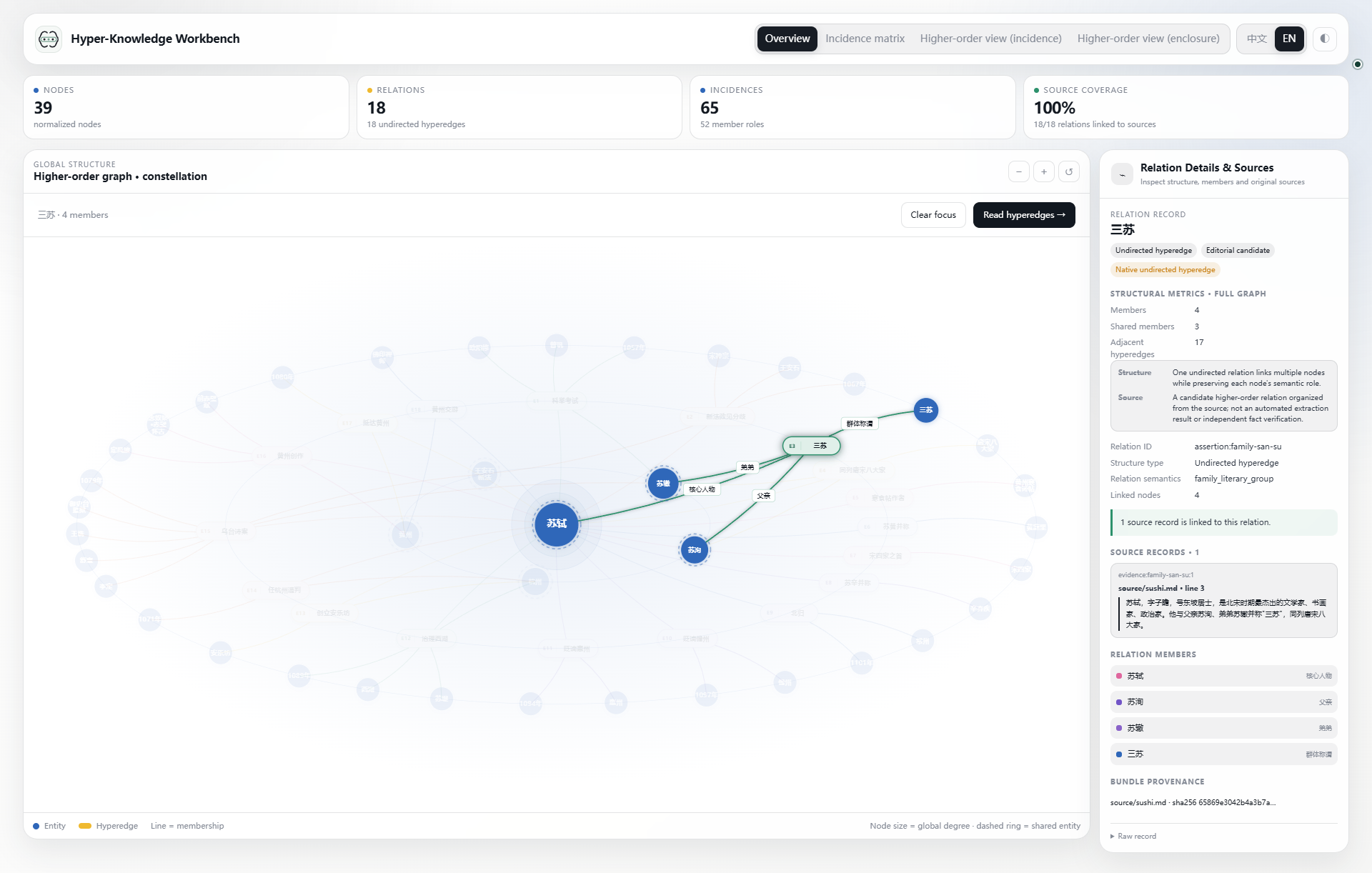
| Where do relationships share context? | Enclosure | Read overlaps spatially; click to focus or hover to add a light fill |
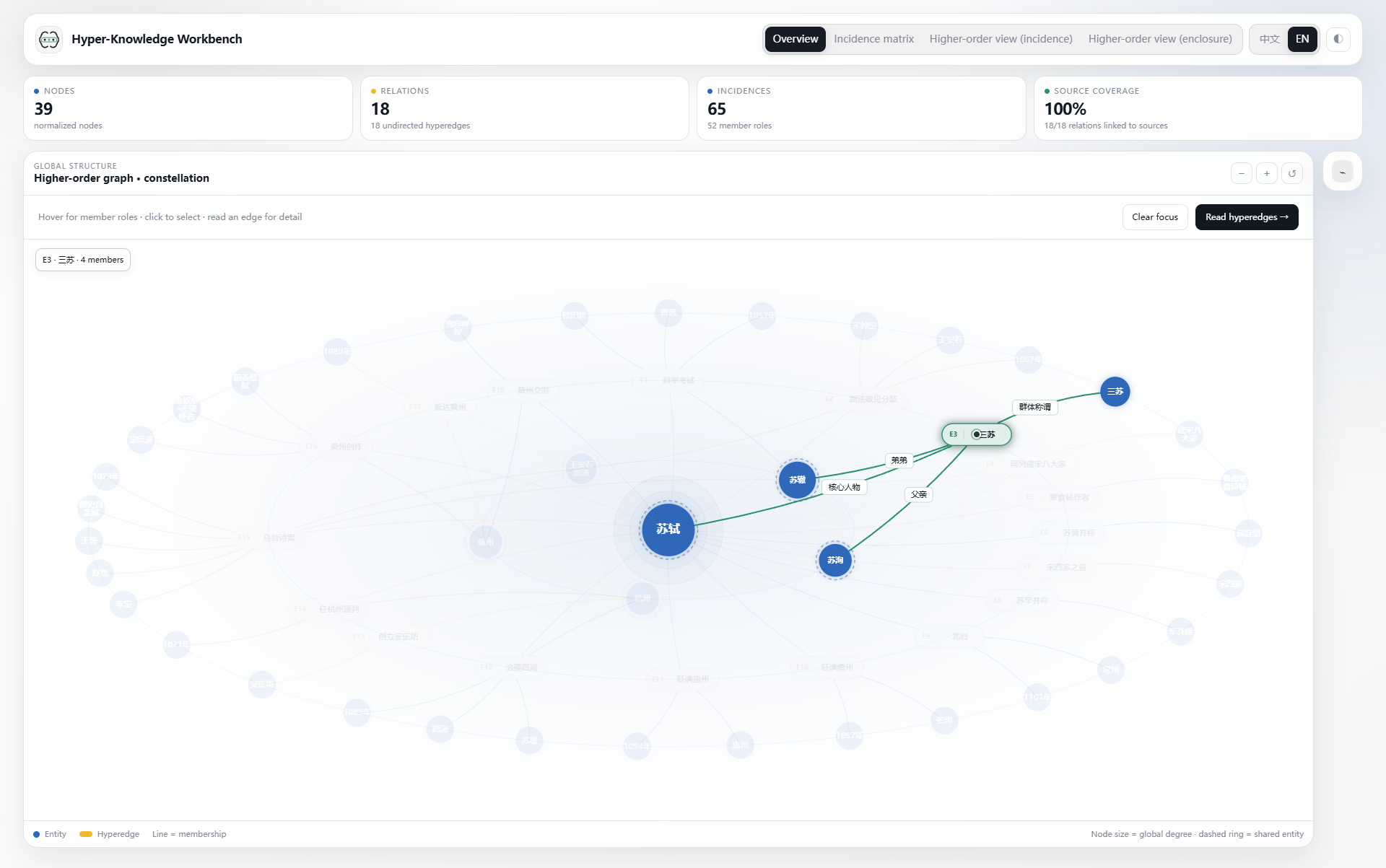
An incidence capsule represents a relationship, not another entity extracted from the document. Labels beside its links describe member roles. In enclosures, dashed outer rings mark shared nodes; node area primarily reflects graph participation, not historical importance.
Ten states, one dataset
The comparisons below use 三苏 (assertion:family-san-su) and 苏轼 (person:su-shi) throughout. The current showcase contains 39 nodes, 18 native hyperedges, and 65 memberships. Expand a group, then click any screenshot to inspect the original image.
01–03 · Overview: see the same data three ways
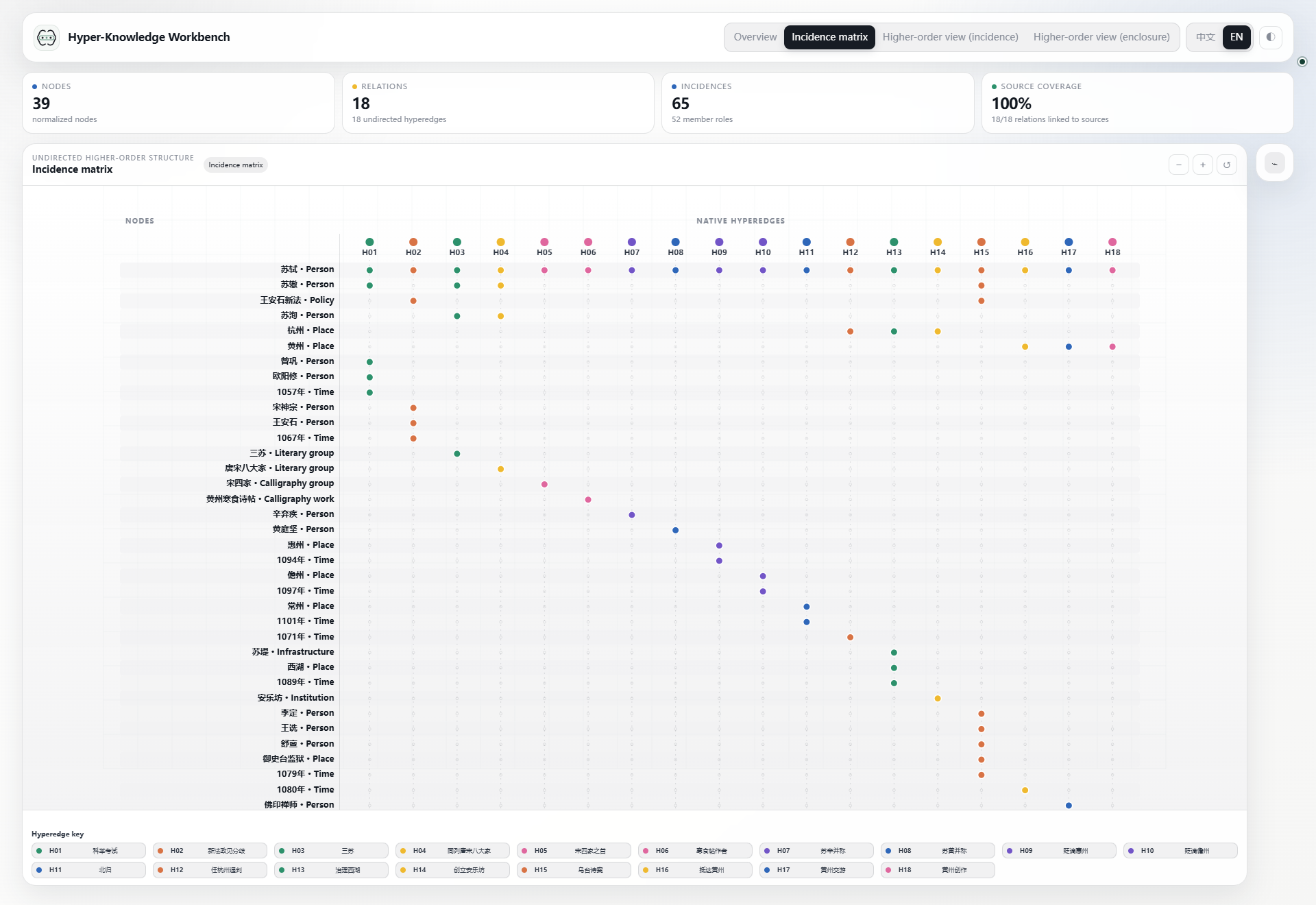
04–06 · Select a hyperedge: San Su
The hyperedge contains 苏轼, 苏洵, 苏辙, and 三苏. Their roles distinguish the central person, father, younger brother, and group designation. After selection, the matrix highlights its column, the incidence view expands only this hyperedge, and the enclosure view keeps the whole graph while bringing this relationship and its members forward.
07–09 · Select a node: Su Shi
苏轼 belongs to 18 hyperedges in this example. The incidence view summarizes those memberships without expanding every other member. The enclosure view keeps the shared context of the incident hyperedges.
10 · Hover: isolate a relationship visually
Move the pointer onto the family hyperedge title. Its enclosure takes a light relation-colored fill, its members remain clear, and unrelated content fades. Moving away restores the overview; no click or data change is involved.
Read, rearrange, reset
- Click a node or hyperedge to inspect its memberships, roles, and source details.
- Hover over an enclosure title to distinguish that relationship from its surroundings.
- Drag a node to adjust the layout and refit affected enclosures; knowledge records stay unchanged.
- Reset to clear focus and local layout changes, then fit the complete content.
For dense relationships, use the matrix instead of shrinking labels further. The workbench is a standalone HTML file; exploring an existing export does not require a model service or server.