CLI Quickstart
Get your first knowledge extraction running in 5 minutes using the terminal.
Prerequisites
- Hyper-Knowledge installed
- A text file to extract from (we'll use an example)
Step 1: Configure API Key
Choose your deployment method and run the corresponding configuration command:
This creates a configuration file at ~/.hk/config.toml. You only need to do this once.
Note: Anthropic and DeepSeek provide LLM only. For search (
hk search) and chat (hk talk) features, pair them with an OpenAI-compatible embedder as shown above.
Step 2: Download Sample Document
# Download a sample biography
curl -o tesla.md https://raw.githubusercontent.com/hanxiangmin/Hyper-Knowledge/main/examples/en/tesla.md
Or create a simple test file:
cat > sample.txt << 'EOF'
Nikola Tesla was a Serbian-American inventor, electrical engineer,
mechanical engineer, and futurist. He is best known for his
contributions to the design of the modern alternating current
(AC) electricity supply system.

Born: July 10, 1856, Smiljan, Croatia
Died: January 7, 1943, New York City, NY

Tesla immigrated to the United States in 1884 and briefly worked
with Thomas Edison before the two parted ways due to conflicting
business and scientific interests. He later established his own
laboratory and developed numerous revolutionary inventions,
including the Tesla coil, induction motor, and wireless transmission
technologies.

Despite his brilliance, Tesla struggled financially in his later years
and died impoverished in a New York hotel room. His legacy was
largely overlooked during his lifetime but has since been recognized
worldwide, with the Tesla unit of magnetic flux density named in his honor.
EOF
Step 3: Extract Knowledge
Run the parse command to extract knowledge:
What this does:
- -t general/biography_graph — Use the biography graph template
- -o ./output/ — Save results to the output directory
- -l en — Process in English
Output:
Input: tesla.md
Output: ./output/
Template: general/biography_graph
Language: en
Build Index: Yes

Template resolved: Biography Graph Template
✓ Knowledge extracted to ./output/

What's next?
  hk show ./output/                    # Visualize knowledge graph
  hk feed ./output/ <new_document>     # Append more documents
  hk search ./output/ "keyword"        # Semantic search
  hk talk ./output/ -i                 # Interactive chat
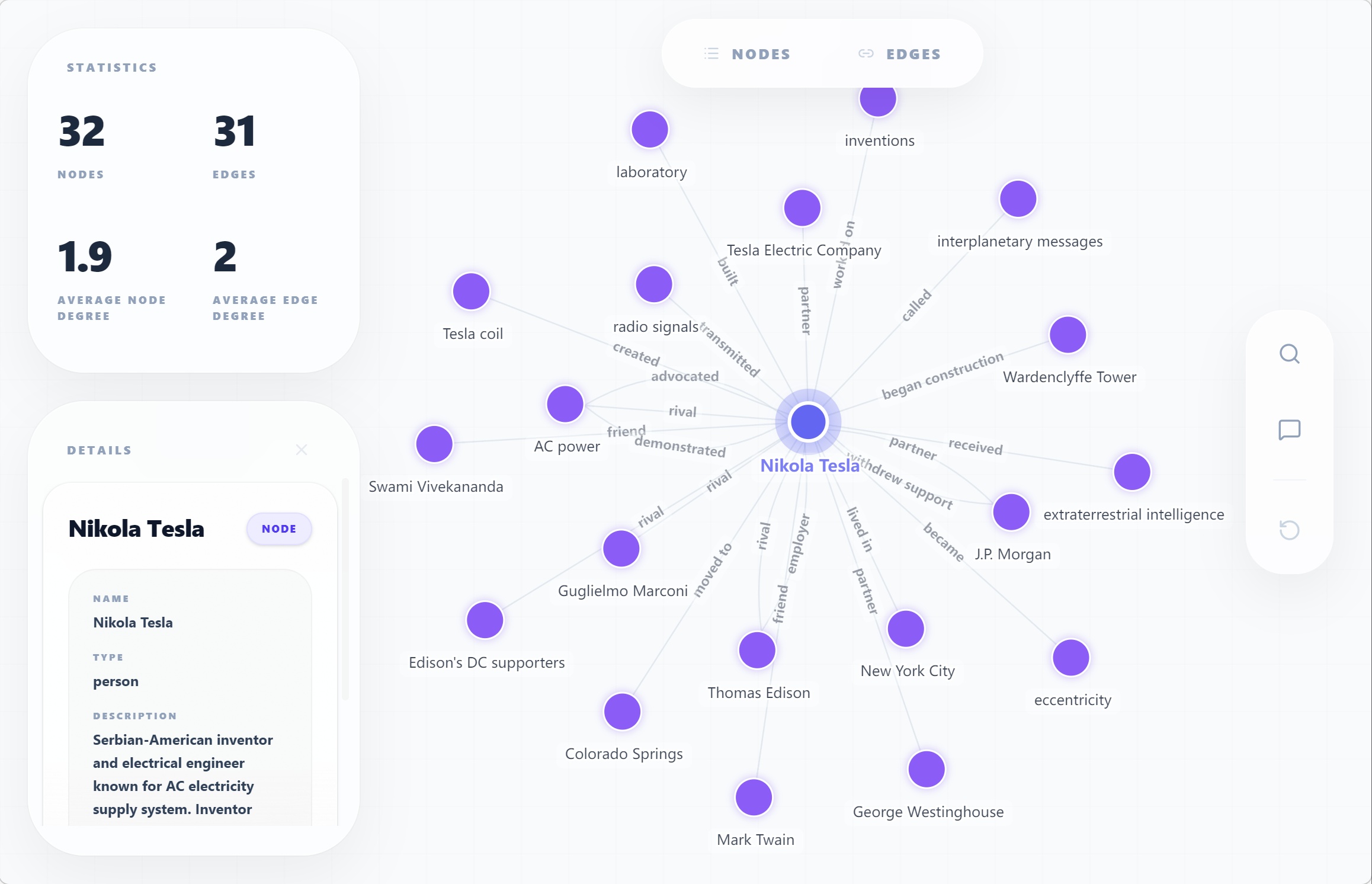
Step 4: Visualize the Knowledge Graph
This opens an interactive visualization in your browser, showing: - Entities (people, places, events) as nodes - Relationships as edges connecting the nodes
Step 5: Search Your Knowledge Abstract
Output:
Found 3 result(s):

Result 1:
{
  "name": "Nikola Tesla",
  "type": "person",
  "description": "Serbian-American inventor..."
}
...
Step 6: Chat with Your Knowledge
Interactive mode:
Or ask a single question:
Step 7: Incrementally Add Knowledge
Got more documents? Add them without reprocessing:
Then visualize the updated knowledge:
Complete Workflow
Here's the typical workflow:
# 1. Extract knowledge
hk parse document.md -t general/biography_graph -o ./output/ -l en

# 2. Visualize
hk show ./output/

# 3. Search
hk search ./output/ "your query"

# 4. Chat
hk talk ./output/ -i

# 5. Add more documents
hk feed ./output/ another_document.md

# 6. Rebuild index if needed
hk build-index ./output/
What's Next?
- CLI Workflow Guide — Complete workflow walkthrough
- All CLI Commands — Detailed command reference
- Template Library — Find templates for your use case
Troubleshooting
"No API key found"
→ Run hk config init -p openai -k YOUR_OPENAI_API_KEY (or use -p bailian, -p deepseek, etc.)
"Template not found"
→ List available templates with hk list template
"Output directory already exists"
→ Add -f flag to force overwrite, or choose a different output path